

- All
- Deals
- Coupons
- Sales
- Expired

NeuronWriter Review: Semantic SEO Content Optimizer
Start here (pick your path)
- NeuronWriter review → Fit vs. not fit (fast)
- NeuronWriter pricing → Plans, trial, refund (decide)
- NeuronWriter lifetime deal → When LTD wins
- NeuronWriter free trial guide → 7-day test plan
- NeuronWriter integrations → WordPress, GSC, Shopify, Zapier
- NeuronWriter OpenAI key (BYOK) → Cost control
- NeuronWriter API → Bulk queries & automation
What NeuronWriter is (and isn’t)
In plain English, NeuronWriter helps you answer one uncomfortable question: “Does my page cover what this query typically requires?” It does that through a SERP-first workflow:
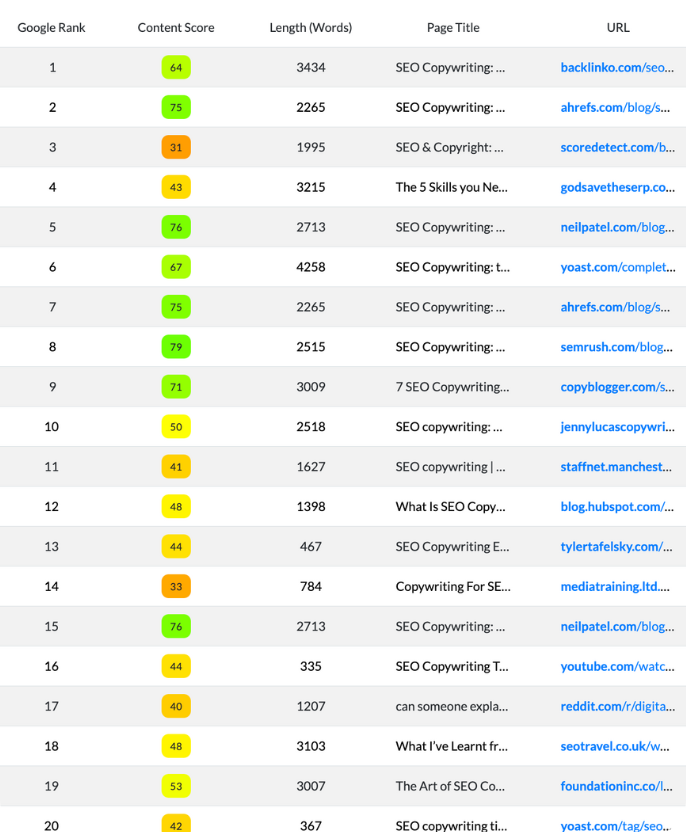
- SERP analysis: you create a query and review competing pages and common coverage patterns.
- Coverage suggestions: the tool surfaces terms/topics/entities that appear consistently across top results.
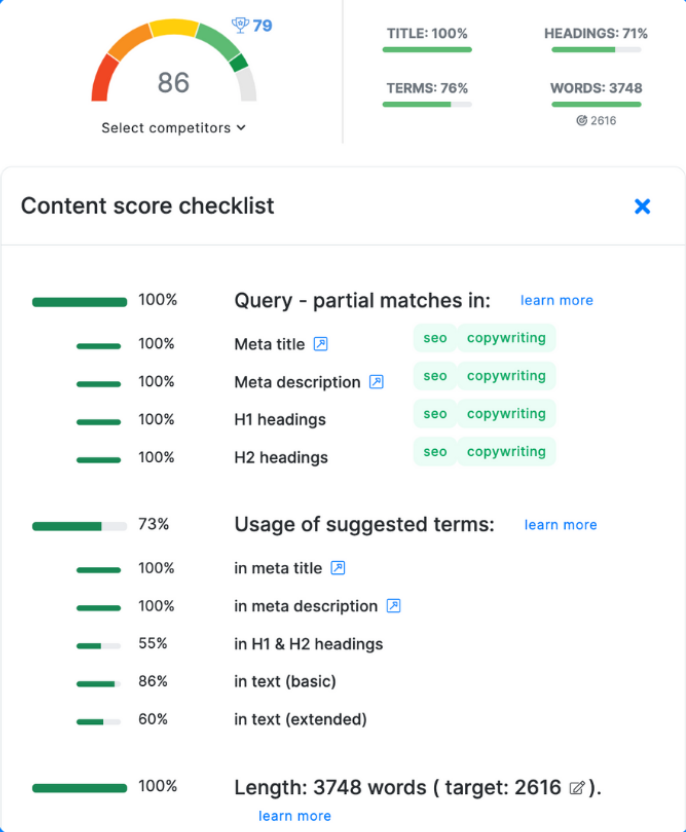
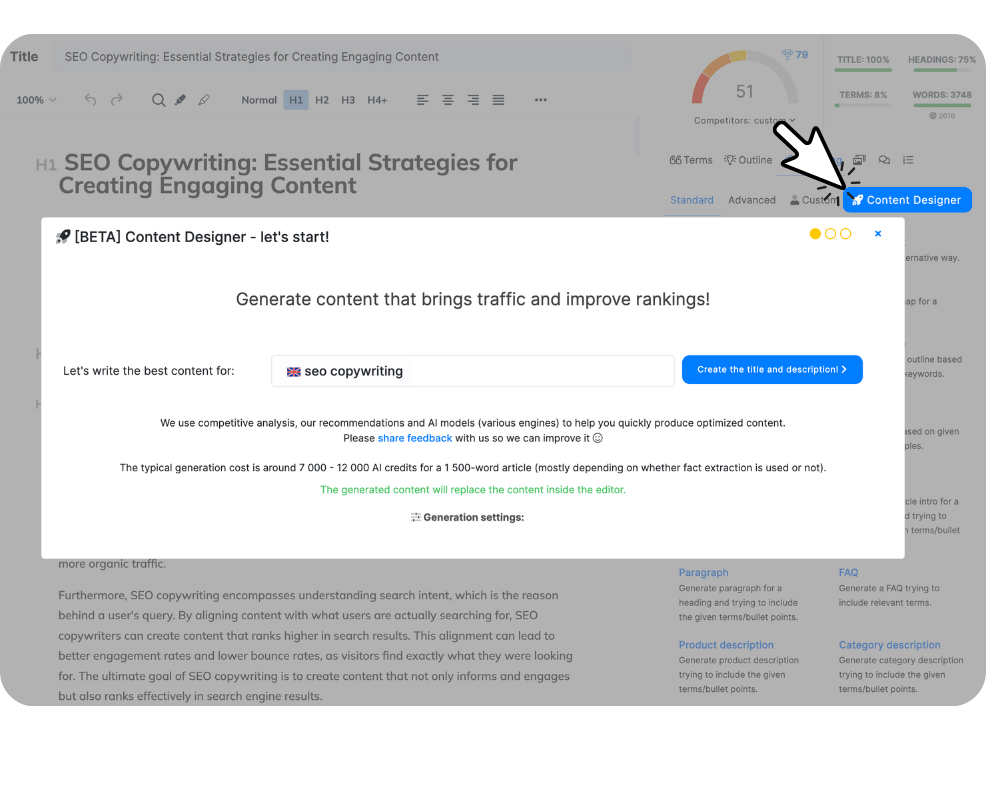
- Content editor workflow: you draft or revise inside an editor with a checklist and score, so you can spot gaps before publishing.
If you’re a blogger, niche site builder, or small SEO team, that workflow matters because it replaces the vague “optimize it more” instruction with something concrete. You’re not guessing what to add—you’re choosing what to keep, what to expand, and what to ignore.
Now the honest part: NeuronWriter can be misused. If you chase the score like it’s a leaderboard, you’ll write bloated content that feels manufactured. The better approach is calmer: use the SERP insights to improve relevance, then write like a human who actually wants to be understood.

NeuronWriter is a fit if:
- You publish consistently and want fewer “we forgot X” revisions.
- You’re optimizing content for search intent, not just keywords.
- You want a lighter, more checklist-driven editor workflow.
You should probably skip (or be cautious) if:
- You want an all-in-one SEO suite for technical SEO, links, audits, and reporting.
- You rarely publish, so any tool becomes shelfware.
- You’re hoping a score alone will “force” rankings (it won’t).
NeuronWriter pricing vs lifetime deal (quick decision)
This is the part where most people get stuck—not because the numbers are hard, but because the decision is emotional. Nobody loves another monthly subscription. At the same time, buying lifetime for a tool you won’t use weekly is a quiet kind of regret.
Here’s a clean way to decide without overthinking it:
Step 1: Use the 7-day trial to test the workflow (not the features)
NeuronWriter offers a NeuronWriter free trial for new users. The smartest use of that trial isn’t clicking every button—it’s finishing one real piece of work end-to-end:
- Pick one keyword you actually want to rank for.
- Run a SERP analysis.
- Draft or refresh the page inside the editor.
- Publish (or at least finalize) and decide if you’d do this weekly.
NeuronWriter also has a refund window for new users, which helps lower the risk. That matters because the real test isn’t “is it impressive?” It’s “does it stick in my routine?”
Step 2: Choose subscription if your needs might change
If you’re still discovering your publishing cadence (or you’re not sure how many projects you’ll manage), subscription pricing is the flexible option. You can scale plans up or down as your content volume changes.
Step 3: Choose lifetime if you already know you’ll use it long-term
The NeuronWriter lifetime deal becomes appealing when you can say, without wishful thinking, “Yes, we’ll still be producing and optimizing content 6–12 months from now.” In that scenario, the math often looks better over time, and the monthly billing anxiety disappears.
Last checked: March 1, 2026. Pricing and limits can change, so treat any plan decision as “based on the current official page,” not a static screenshot.
Mini decision tree (solo vs team vs automation/API)
- Solo blogger / niche site builder: Start with the review, then follow the 7-day trial plan. Decide on NeuronWriter pricing only after you’ve shipped one real piece.
- Small SEO team / agency: Go straight to NeuronWriter pricing and check plan gating for integrations/BYOK/API—those tend to matter more than small differences in credits.
- Automation-first / technical workflow: Read NeuronWriter API + NeuronWriter OpenAI key (BYOK) to map your cost and operational flow before you commit.
NeuronWriter integrations, OpenAI key, and API (who needs what)
These three topics look similar on a feature list. In real life, they solve different headaches.
NeuronWriter integrations: for people who hate the “last mile”
The most annoying part of content production is often after the writing is done: moving drafts between tools, exporting to WordPress, checking Search Console queries, and keeping the team aligned. Integrations exist to reduce that friction—so “publish” doesn’t turn into a separate project.

If that’s your pain point, go next: NeuronWriter integrations.
NeuronWriter OpenAI key (BYOK): for predictable AI costs
BYOK (bring your own key) is less about “more AI” and more about control. If you’re hitting credit limits or you want AI usage billed separately (especially in a team), using your own OpenAI key can make costs easier to track and explain.
Go next: NeuronWriter OpenAI key (BYOK).
NeuronWriter API: for bulk operations and automation
The API is for the day your spreadsheet becomes a queue. If you’re creating many queries, generating share links for editors, or pulling recommendations into a pipeline, clicking through the UI stops making sense. The API helps you treat NeuronWriter as a service inside your workflow—not just a tab you open manually.
Go next: NeuronWriter API.
A quiet warning before you rush into integrations or automation: faster workflows magnify whatever direction you’re already going. If your content strategy is shaky, automation won’t fix it—it will just help you ship more uncertainty. Start with one clean workflow. Then scale.
Where to go next (review, trial plan, comparisons)
If you want a simple order of operations, this is it:
If you’re deciding whether NeuronWriter is worth paying for
- Read: NeuronWriter review (fit vs not-fit, practical trade-offs).
- Then: NeuronWriter pricing (plans, trial, refund logic, what’s gated by plan).
- If you prefer one-time billing: NeuronWriter lifetime deal (tiers + break-even thinking).
If you want proof before committing
- NeuronWriter free trial guide: a 7-day plan designed to produce a real decision, not a vague impression.
If you care about workflow speed (publishing + automation)
- NeuronWriter integrations for the “stop copying and pasting” problem.
- NeuronWriter OpenAI key (BYOK) for cost control and billing clarity.
- NeuronWriter API for bulk operations and automation.