

Amazing Selling Machine Refund Policy (2026): The Guarantee Window, When the Clock Starts, and How to Cancel
 admin
admin 
Refund pages shouldn’t feel like a trap. They should feel like a calendar and a checklist. This guide explains the Amazing Selling Machine (ASM) refund policy and guarantee in plain English—what the offer page says, what Amazing.com’s terms say about when refund periods begin, and the steps to request a cancellation/refund without getting surprised.
Not legal advice: I’m summarizing publicly available policy language and turning it into a practical “do this, don’t do that” guide. Always verify the current policy on the official offer/checkout pages before you buy.

TL;DR: the three refund rules that matter most
- ASM is advertised with a 30-day money-back guarantee on the offer page (promo language can change).
- Amazing.com’s terms state refund periods begin on the first day of access to any part of the course material— not when you “start watching.”
- Refund/cancellation requests must be submitted within the refund window, typically through support email (and you should keep a record of your request).

Date-stamped guarantee snapshot (what was shown)
Offer snapshot checked: Feb 28, 2026. The ASM offer page displayed:
- “30-Day Money-Back Guarantee”
- $1,997 upfront pricing language
- “$97/month after 1 year” pricing language
Offers and bonuses can change. So treat this as “accurate on the publish date,” then verify what you see in the live checkout flow. If you want the numbers and fee structure explained clearly, start with Amazing Selling Machine pricing.
When the refund clock starts (this is the part people miss)
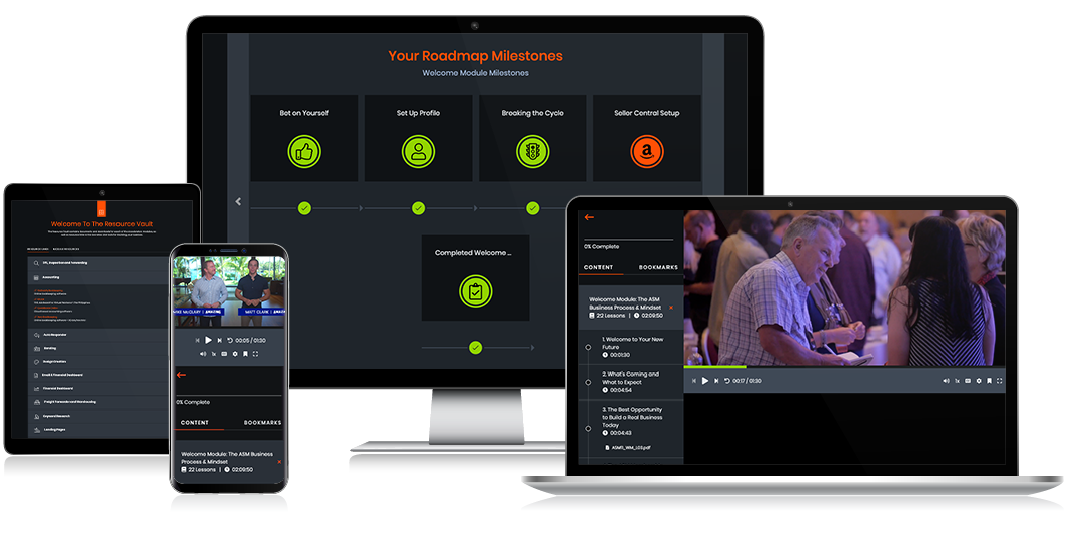
The most important line in Amazing.com’s terms (in everyday language) is: refund periods begin on the first day you have access to any part of the course material. That means the clock may start earlier than you expect if access is granted immediately after purchase.
Practically, here’s what you should assume unless your specific checkout terms say otherwise:
- If you buy and immediately receive login access, Day 1 is probably the day you bought.
- If you buy during a promotion with staged access, confirm what counts as “access” in the terms shown at checkout.
- If you’re unsure, the safest move is to treat the clock as starting right away and decide early.

If your main concern is trust (not just timing), you may also want to read Is Amazing Selling Machine legit? for a practical checklist of what you can verify before buying any high-ticket course.
How to request an ASM refund (step-by-step)
Amazing.com’s terms and related policy messaging direct cancellation/refund requests to their support team. In most cases, the simplest path is a clear email request sent within the refund window.
Step 1: Send the request to support (and keep proof)
Send your request to support@amazing.com (and keep a copy of the sent email). Don’t rely on memory or a chat you can’t export.
Step 2: Include the minimum info support needs
- The email address you used to purchase / access ASM
- Your full name (as used on the order, if applicable)
- The product name: “Amazing Selling Machine (ASM)”
- A direct request: “Please cancel my access and issue a refund under the guarantee.”
- A short reason (optional, but it can reduce back-and-forth)

Step 3: Watch the processing window and payment method
Amazing.com’s terms indicate refunds are processed to the original method of payment, and they note a short processing window (often a few business days) after the request is received. Your bank/card processor may add additional time on their side.
If you bought on a payment plan, Amazing.com has also described (in their published materials) that refunds generally stop future charges and refund what’s been paid within the guarantee terms—again, confirm the exact rule on your checkout terms.
When refunds get denied (and how to avoid the common mistakes)
Most refund denials are not dramatic. They’re procedural. Here are the common failure modes:
- You missed the window. If you wait until the last day, time zones and processing delays can hurt you. Decide early. Send the request early.
- You used the wrong email. If support can’t match your request to an account/order quickly, the process slows down. Always include your ASM login/purchase email.
- You assumed “cancellation” automatically means “refund.” Some subscriptions cancel at the end of billing but don’t refund a past charge. Your guarantee window and purchase type matter.
- You didn’t keep receipts/proof. Always keep the order confirmation and a copy of your refund request email.

Do they ever offer longer guarantees?
Sometimes, yes—at least based on Amazing.com’s own published explanations. They’ve described occasional extended guarantees (for example, 6–12 months) that come with qualifying conditions (e.g., participation, watching training, completing key steps, and demonstrating you actually attempted to build the business).
They’ve also described that some extended guarantee versions can include an additional inventory-related refund component—but terms vary. Treat extended guarantees as promotion-specific. If an extended guarantee matters to your decision, verify the exact terms at checkout or ask support to confirm what applies to your purchase.
If you’re comparing ASM to other options primarily because of risk concerns, it’s also worth browsing Amazing Selling Machine alternatives before you buy—especially if your budget is tight or you’re not committed to private label.
Before you buy: a “protect yourself” checklist
Here’s the checklist I’d use if I were trying to avoid refund drama (with any high-ticket course, not just ASM):
- Screenshot or save the offer terms (price, guarantee window, and any “after X days/months” fee language).
- Confirm when access starts and assume that’s when the refund clock starts unless checkout terms state otherwise.
- Set a calendar reminder for Day 7 and Day 21. Don’t wait until the last week to decide.
- Use the first week as an audit: map what you get, identify the first deliverable, and decide if it fits your model.
- Know your next step: if you buy, commit to implementation; if you don’t, move on quickly.

Refund policy FAQs
Is ASM really refundable?
ASM is advertised with a 30-day money-back guarantee on the official offer page. The operational detail that matters most is timing: refund periods typically begin when access starts, so decide early and submit requests within the window.
Where do I request a cancellation/refund?
Amazing.com’s terms point cancellation requests to their support email. Use official contact channels and keep a record of your request.
How long do refunds take to process?
Policies commonly note a short processing window (often a few business days) after the request is received, and refunds typically go back to the original payment method. Your card/bank may take additional time to post it.
What if I’m not sure ASM is for me?
Start with the fit-based verdict on Amazing Selling Machine review, then confirm numbers and fees on Amazing Selling Machine pricing. If your budget is tight or you want a different approach, browse Amazing Selling Machine alternatives.
What to do next
If refund terms are your main concern, don’t stop at the headline “30-day guarantee.” Your two best next steps are:
- Read Amazing Selling Machine pricing to understand the full fee structure (including any “after 1 year” monthly fee).
- If you’re not comfortable with the risk profile, compare options on Amazing Selling Machine alternatives.
Video: A third-party walkthrough of ASM (useful if you want to see how reviewers discuss the offer, guarantees, and buyer expectations).
Bottom line: if you’re going to buy ASM, treat the first week like a structured evaluation—not casual browsing. The “refund policy” is only useful when you understand the clock, the steps, and the paperwork-like basics (emails, receipts, timestamps).