 admin
admin 
The first time an AI tool hits a credit limit mid-draft, the mood changes fast. One minute you’re moving; the next minute you’re negotiating with a dashboard. And if you’re working with a team, you get the worst version of the conversation: “Who used the credits?” followed by silence.
That’s the real reason people search for a NeuronWriter OpenAI key. Not because they want “more AI.” Because they want a predictable workflow, fewer surprise limits, and a bill they can actually understand.
This guide explains NeuronWriter BYOK (Bring Your Own Key) in plain English: what it is, when it saves money (and when it doesn’t), how to add your key safely, and a checklist to avoid the two most common mistakes—leaking a key and accidentally treating “unlimited” like a challenge.
NeuronWriter OpenAI key (NeuronWriter BYOK): a walkthrough of AI tools inside NeuronWriter and where BYOK fits.
Quick links
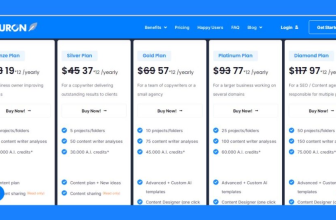
- NeuronWriter pricing (plan gating: Gold+)
- NeuronWriter review (workflow fit)
- NeuronWriter free trial guide (7-day decision plan)
- NeuronWriter API (automation + bulk workflows)
NeuronWriter OpenAI key explained (BYOK)
BYOK stands for “Bring Your Own Key.” In NeuronWriter, it means you can add your personal OpenAI API key inside your account settings so that NeuronWriter’s OpenAI-powered features run on your OpenAI API usage instead of consuming the AI credits included with your NeuronWriter plan.
NeuronWriter is explicit about two important details:
- BYOK is available for users on Gold plan or higher.
- Once configured, NeuronWriter sends OpenAI-model requests using your key—so you won’t spend NeuronWriter plan AI credits for those OpenAI-based features.
What BYOK is great for
- Predictable workflow: you don’t get stuck when plan credits run out mid-task.
- Team clarity: if you’re managing multiple users, it’s easier to measure “AI usage” in one place.
- Scaling content work: if you’re using NeuronWriter’s AI templates, content designer, or similar features heavily, BYOK can remove plan friction.
What BYOK is not
- Not a free pass. You’re simply shifting usage from NeuronWriter plan credits to your OpenAI API billing.
- Not required for everyone. If you rarely use AI features (or you mainly use NeuronWriter for SERP analysis and manual writing), you might not need BYOK at all.
- Not “ChatGPT Plus.” The OpenAI API is billed separately from ChatGPT subscriptions.
This last point matters because it’s a common misunderstanding: ChatGPT Plus is a subscription product; the OpenAI API is a separate platform with its own billing. OpenAI states directly that API usage is billed independently from ChatGPT plans. If you want the official wording, see What is ChatGPT Plus? (OpenAI Help Center).

How to add your OpenAI API key to NeuronWriter
Before you start: BYOK is designed to be simple, but treat your API key like a password. Don’t paste it into random browser extensions. Don’t send it in screenshots. Don’t leave it sitting in a shared Notion doc.
Step 1: Confirm you’re on a plan that supports BYOK
NeuronWriter’s documentation indicates BYOK is available on Gold plan or higher. If you’re not sure where you are, check NeuronWriter pricing before you spend time setting up keys.
Step 2: Create an OpenAI API key in your OpenAI account
In your OpenAI platform account, generate a new secret API key. This is the key you’ll paste into NeuronWriter. If you want the official authentication overview, OpenAI’s docs explain how API keys work and why you must keep them secret: OpenAI API authentication overview.

Step 3: Add the key in NeuronWriter “External API keys”
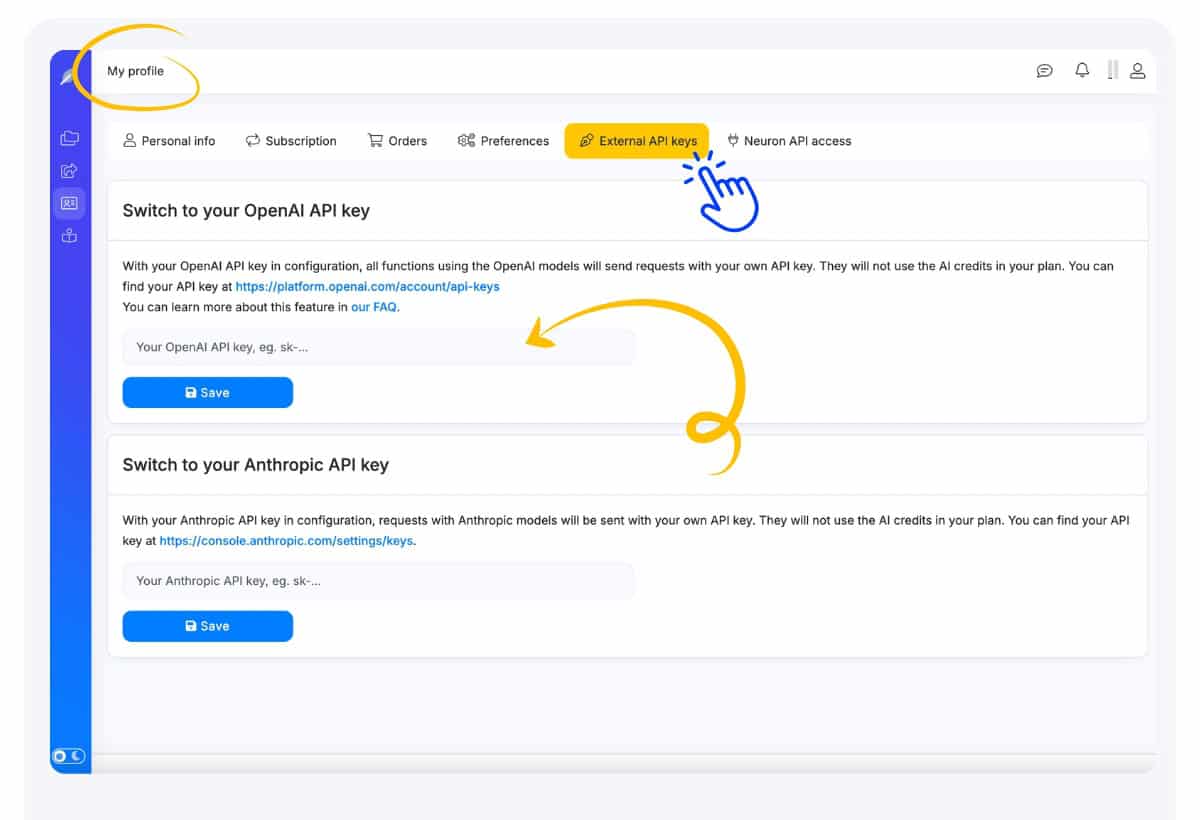
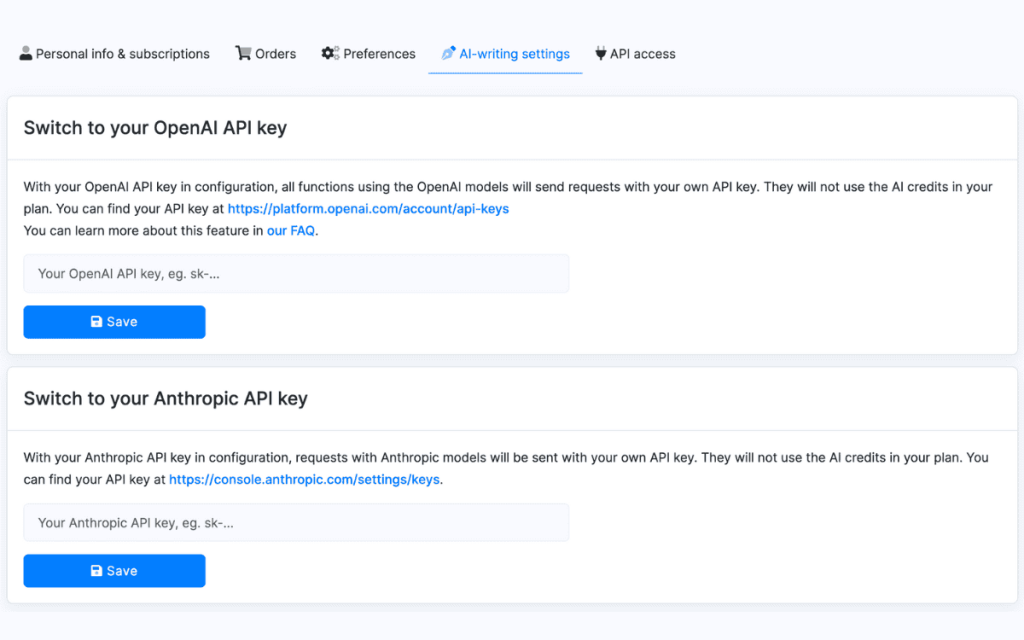
Inside NeuronWriter, go to your profile settings and open the External API keys tab. Paste your OpenAI API key and save.
NeuronWriter describes this as a “switch to” behavior: once your key is set, NeuronWriter will use your OpenAI API usage by default for OpenAI-model features—so your NeuronWriter plan AI credits won’t be consumed for those specific functions.
Step 4: Confirm which features are now using your OpenAI API key
NeuronWriter lists the OpenAI-credit features that will route through your BYOK setup (examples include AI templates, auto-insert, content designer, synonyms). In practice, this means you should watch your OpenAI usage dashboard if you’re running heavy AI generation.

Step 5: Do a small “safe test”
Don’t begin with a giant content generation run. Do a small test: run one AI template action or a short content designer output and confirm it behaves as expected. If something fails, it’s often one of these:
- Extra spaces before/after the key when pasting.
- Wrong key (older key revoked, copied a partial key, etc.).
- Billing not set on your OpenAI API account (depending on the account state).
NeuronWriter OpenAI key (NeuronWriter BYOK): a longer tutorial if you want to see the editor + AI features end-to-end.
Cost control + security checklist
BYOK is a power-user feature. Power tools are great—right up until they’re used carelessly. This checklist is how you keep it calm.
Cost control (so the bill stays predictable)
- Track usage from day one. The most common BYOK surprise is waiting until the end of the month to look.
- Use BYOK for the right tasks. If you’re only using NeuronWriter’s AI features occasionally, you may be fine with plan credits. BYOK matters most when you’re doing heavy generation routinely.
- Keep one “trial workload” standard. If you’re producing at scale, define a repeatable unit (e.g., one outline draft + one rewrite pass) and measure usage against that unit.
- Separate keys by tool (optional, but smart). If you use multiple tools that can consume API usage, separate keys makes attribution and revocation easier.
- Don’t confuse speed with value. Generating more text is not the same as shipping better content. If output gets longer but less clear, you’re paying to create cleanup work.
Security (so you don’t leak a key)
OpenAI’s own documentation is blunt: API keys are secrets and shouldn’t be exposed in client-side code or shared publicly. That principle applies even if you’re “just pasting it into a tool.” Treat it like sensitive access.
- Store it in a password manager (not plain text notes, not a shared doc).
- Never paste keys into client-side code (browser scripts, public repos, front-end apps). If you build anything custom, keep secrets server-side.
- Avoid screenshots of key screens (people forget what’s visible in the corner).
- Rotate/revoke keys if you suspect exposure. It’s cheaper than learning the hard way.
- Limit access internally. If you’re an agency/team, decide who owns the key and who’s allowed to change it.
The “human” risk most teams miss
BYOK removes NeuronWriter plan limits for certain AI features, which feels like freedom. It can also create the habit of “just generate another version.” That’s how content becomes noisy—multiple drafts, multiple paragraphs, less editorial intent.
If your content starts feeling generic, it’s rarely because you didn’t generate enough. It’s because you didn’t decide enough: what the page is for, which reader it’s speaking to, and what it should refuse to include.
If you want a grounded way to use term/entity suggestions without stuffing, the methodology piece helps: NeuronWriter semantic SEO workflow.
FAQ: NeuronWriter BYOK and “external API keys”
Does ChatGPT Plus include OpenAI API credits for NeuronWriter BYOK?
No. ChatGPT plans and OpenAI API billing are separate. If you want the official reference, OpenAI states that API usage is billed independently from ChatGPT subscriptions.
Can I choose when NeuronWriter uses plan credits vs my OpenAI key?
NeuronWriter describes BYOK as a “switch to” behavior: once your OpenAI key is set, NeuronWriter routes OpenAI-model features through your key by default. If you want to avoid that, don’t enable BYOK until you’re ready to monitor usage.
Is BYOK worth it if I only write a few posts per month?
Maybe, maybe not. If you’re not frequently hitting plan AI credit limits, BYOK can add complexity without clear benefit. The better first step is usually: test NeuronWriter’s workflow and editor value. If AI generation is central to your routine, BYOK becomes more relevant.
What if my API key is leaked?
Revoke it immediately in your OpenAI account, generate a new key, and update NeuronWriter. Then check usage for anything unexpected. This is why separating keys by tool can be useful.
Will BYOK make my content “better” automatically?
No. BYOK gives you more control (and more capacity) for AI features. Quality still comes from editorial decisions: structure, examples, clarity, and intent alignment.
Next steps
If you’re setting up BYOK because you’re already hitting AI limits, you’ll probably want to double-check plan gating and workflow features next:
- NeuronWriter pricing (confirm Gold+ and the features you need)
- NeuronWriter API (if you’re building automation or bulk workflows)