

 admin
admin There’s a specific day in content operations when an “SEO tool” stops being a tab you open and starts being a bottleneck.
It’s the day your spreadsheet becomes a queue: 80 keywords waiting, 12 writers asking for briefs, and a manager who wants share links and status updates by Friday. At that scale, clicking “new query” one-by-one isn’t work. It’s friction.
The NeuronWriter API exists for that day. It gives you programmatic access to NeuronWriter recommendations so you can create queries in bulk, retrieve share URLs, and pull term/entity suggestions into your workflow—without turning your team into professional copy-pasters.
This guide explains what the API does, who should use it, what it costs (in limits), and how to start safely without leaking keys or building a fragile automation you’ll regret later.
Quick links
- NeuronWriter pricing (API requirements & plan gating)
- NeuronWriter OpenAI key (BYOK) for cost control
- NeuronWriter integrations (WordPress, GSC, Zapier workflows)
- NeuronWriter review (workflow fit first)
NeuronWriter API use cases (bulk queries, share URLs)
Let’s keep this grounded. The NeuronWriter API is not “AI magic.” It’s a way to automate the same steps you already do in the UI—so your team can move faster and more consistently.
Use case 1: Bulk query creation from a keyword list
If you have keywords stored in Google Sheets/Airtable/Notion, you can push them into NeuronWriter as queries in bulk. That’s useful when:
- You run content sprints (e.g., 30 pages per month).
- You operate across multiple projects/sites/clients.
- You want a repeatable, auditable process instead of “who clicked what?”
Use case 2: Generate share links for writers and clients
NeuronWriter queries can be shared via URLs. With the API, you can generate share URLs and hand them to writers or stakeholders without manual setup. In real life, this is what stops the “where’s the brief?” churn.
Use case 3: Pull recommendations into your own workflow
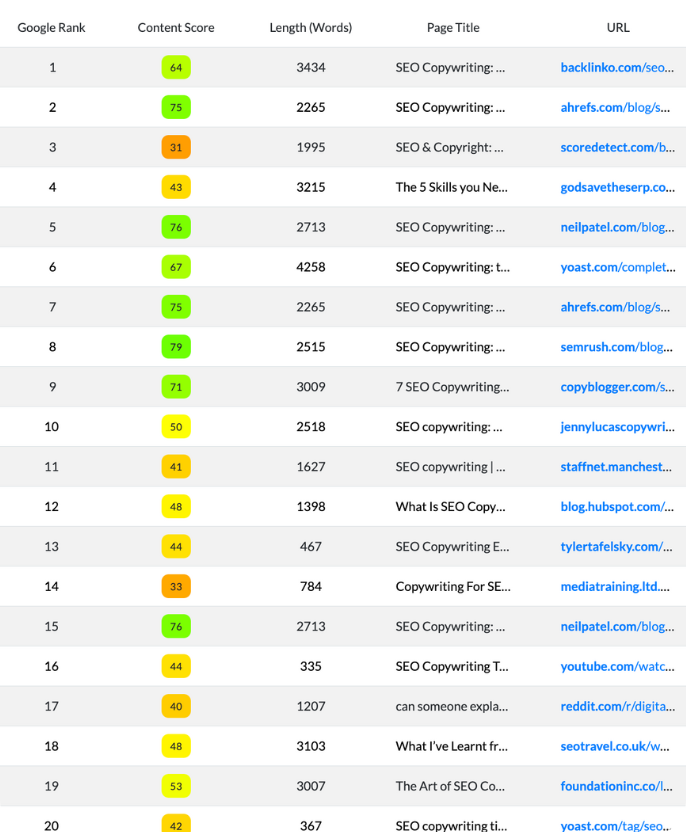
NeuronWriter returns structured recommendations: term suggestions (title/meta/H1/H2/body), entities, and general metrics (like typical word count targets). If your workflow includes custom brief templates or internal tooling, you can pull those recommendations into your system and standardize briefs across clients.
Use case 4: Build a content pipeline (queue → brief → draft → revise)
Teams that get the most value from the API usually build a simple pipeline:
- Keyword enters the queue
- API creates a query
- API polls until recommendations are ready
- System assigns the brief/share URL to a writer
- Writer drafts in NeuronWriter or elsewhere
- Editor reviews coverage and ships
If you’re wondering why this matters: it reduces the cost of “starting.” A lot of content teams don’t struggle with writing; they struggle with coordination.
NeuronWriter API requirements and limits
This is the part many API guides hide behind hype. The NeuronWriter API is powerful, but it’s not “free capacity.” It uses the same monthly limits you’d consume if you created queries through the UI. In other words: automation doesn’t change the cost of the work—it changes how efficiently you execute it.
Plan requirement
The NeuronWriter API requires a Gold plan or higher. If you’re not sure which plan you’re on (or what’s gated behind Gold+), check NeuronWriter pricing before you build anything.
Limits and “cost”
API requests consume your monthly limits the same way as UI usage. That matters because it prevents a common mistake: building a bulk automation that “works” technically, then stalling because you hit monthly capacity mid-sprint.
Time-to-ready: build polling into your workflow
After creating a new query, NeuronWriter needs time to prepare recommendations. In practice, you should assume your system needs to poll the API until the query status reports ready, instead of expecting immediate results.
If the idea of polling and retries sounds unfamiliar, you don’t need to become a backend engineer overnight—but you should at least understand the basics of an application programming interface (API) so you’re not building blind.

Where to find your NeuronWriter API key and API endpoint
NeuronWriter keeps API access in your profile settings. You copy your API key from the “Neuron API access” area. Treat it like a password: don’t paste it into public repos, don’t ship it in client-side JavaScript, and don’t leave it in a shared doc.

The API uses a base endpoint and an API method path appended to it. Authentication is done via an HTTP header named X-API-KEY.
Safe reminder: never hardcode your API key in front-end code. If you’re building an internal tool, keep the key server-side and use environment variables.
A safe starter workflow (without leaking keys)
If you’re building this for the first time, don’t start with “bulk everything.” Start with a safe, minimal pipeline that proves value:
- List projects to confirm your connection
- Create one query
- Poll until ready
- Store the share URL and assign it to a writer
Step 1: List projects
Use /list-projects to retrieve projects available in your account. This is the cleanest “hello world” call: it confirms your key and endpoint are correct.
Step 2: Create a new query
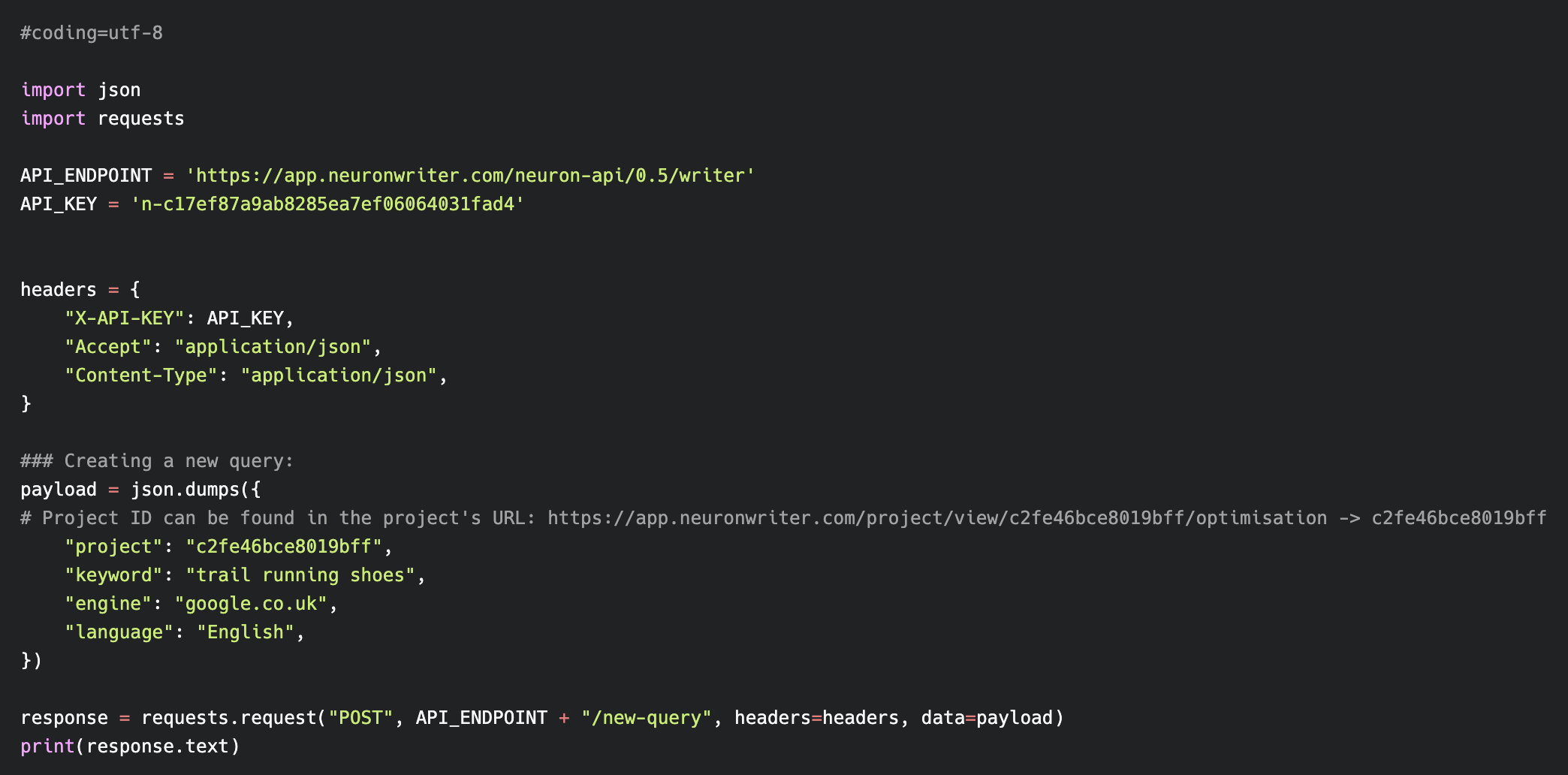
Use /new-query with a project ID, keyword, language, and search engine. The response includes a query ID and URLs you can open in the browser, including share links.
Step 3: Poll recommendations with get-query
Use /get-query with the query ID and check status. Your system should handle “waiting/in progress” states gracefully.
Step 4: Store and route the outputs
In a real operation, the most valuable outputs are:
- share_url: send to a writer for editing with save access
- readonly_url: send to a client or stakeholder for review without edit risk
- terms/entities: store in your brief template for consistency
A minimal request example (with placeholders)
Below is a simple example structure you can adapt. Notice the key is never shown as a real value.
POST {API_ENDPOINT}/new-query
Headers:
  X-API-KEY: YOUR_NEURON_API_KEY
  Accept: application/json
  Content-Type: application/json

Body:
{
  "project": "YOUR_PROJECT_ID",
  "keyword": "your keyword here",
  "engine": "google.com",
  "language": "English"
}
If you’re allergic to code: the point is not the syntax. The point is designing a workflow that doesn’t collapse when one request takes longer than expected.
Practical automation patterns that actually work
Most “content automation” projects fail because they start too big. The teams that succeed usually pick one narrow win, ship it, then expand.
Pattern 1: Spreadsheet → NeuronWriter queries → share links
This is the most common use case:
- Spreadsheet row contains keyword, language, engine, project ID, assigned writer
- Automation creates NeuronWriter queries in bulk
- Automation writes back the query ID + share URL
- Writer gets a clean link and starts drafting
This pattern is boring—and that’s why it works. It reduces coordination pain without trying to automate judgment.
Pattern 2: Auto-brief generation (terms/entities as a brief template)
You can pull term/entity recommendations and inject them into a standardized brief format. This helps writers who aren’t SEO-native because it turns “optimize for semantic SEO” into a tangible set of prompts.
If you want a lightweight definition of what’s happening under the hood, it helps to understand natural language processing (NLP) at a conceptual level—without turning it into a buzzword.
Pattern 3: Editor content sync (advanced, optional)
NeuronWriter’s API documentation includes methods for retrieving the last saved editor revision and updating editor content via API (raw HTML + title/description). This is useful when:
- You draft in another system but want NeuronWriter to be the optimization workspace
- You need a consistent “source of truth” for drafts and revisions
- You’re building internal tooling for agency operations
But here’s the honest warning: this pattern is where most teams overbuild. If you don’t already have content ops maturity, start with share links and briefs first. Syncing raw HTML is best done when you already trust your pipeline.

Security and reliability checklist
APIs fail. Networks fail. People make mistakes. Your goal is not to build something that never fails. Your goal is to build something that fails safely.
Key security
- Store keys in environment variables (or a secrets manager), not in source code.
- Don’t expose keys client-side. Browser code is not a safe place for secrets.
- Rotate keys if you suspect leakage, and remove access for former team members.
Operational safety
- Use retry logic with backoff for polling calls (don’t hammer the endpoint).
- Log query IDs and responses so you can diagnose issues without guessing.
- Build a “status” column in your spreadsheet/DB (created → waiting → ready → assigned → published).
- Respect monthly limits. Build guardrails so you don’t trigger an accidental bulk run.
If you’re also running heavy AI usage and want predictable billing, pairing API automation with BYOK is often the next step: NeuronWriter OpenAI key (BYOK).
Who should use the NeuronWriter API (and who should skip it)
You should use the API if:
- You’re creating many queries per week and UI clicks are slowing you down.
- You need share URLs for writers/clients as part of a repeatable SOP.
- You’re building a brief system and want consistent term/entity guidance.
- You already have (or want) a simple content pipeline with statuses and ownership.
You should probably skip (for now) if:
- You publish occasionally and don’t have repeatable production habits yet.
- Your team doesn’t have anyone comfortable with basic HTTP requests and debugging.
- You’re hoping the API will “create quality” automatically. It won’t.
A clean alternative is to keep things UI-first and focus on your editorial workflow. If you haven’t read it yet, start with the NeuronWriter review, then decide whether automation is actually your bottleneck.
Next steps
If the NeuronWriter API matches your workflow, your next move is usually plan verification and a small pilot.
- Verify requirements: NeuronWriter pricing (Gold+ and monthly limits)
- Reduce friction in publishing: NeuronWriter integrations
- Control AI costs if needed: NeuronWriter OpenAI key (BYOK)